Google Workspace August Updates: New AI Features in Sheets, NotebookLM, and More!

In the August updates, Google Workspace is offering new powerful AI features to help you throughout your day. Here’s what’s new:
- Generate, categorize, and analyze text at scale with the AI function in Google Sheets, and use AI functions in more languages.
- Use new ways to get insights with video overviews in NotebookLM, create multiple audio overviews, and share links more easily.
- Quickly get up to speed with new AI-powered summaries in Google Chat, Meet, and Forms.
- Get insights on the go with mobile AI summaries in Docs.
- Enhance your content in seconds with AI image editing and audio balancing in Google Vids and Slides.
- Quickly fill out PDFs and analyze larger documents with Gemini in Drive.
Generate, categorize, and analyze text at scale with the AI function in Google Sheets, and use AI functions in more languages
The AI function in Sheets has become one of Google’s fastest-adopting features recently. It allows you to quickly and seamlessly categorize, summarize, or even create hundreds of rows of text. For example: use the AI function to categorize user feedback, summarize product reviews, or write personalized emails – all without needing to be a data or spreadsheet expert. Just type =AI in any cell along with an instruction for Gemini, and then Gemini will execute your request on the specified range.
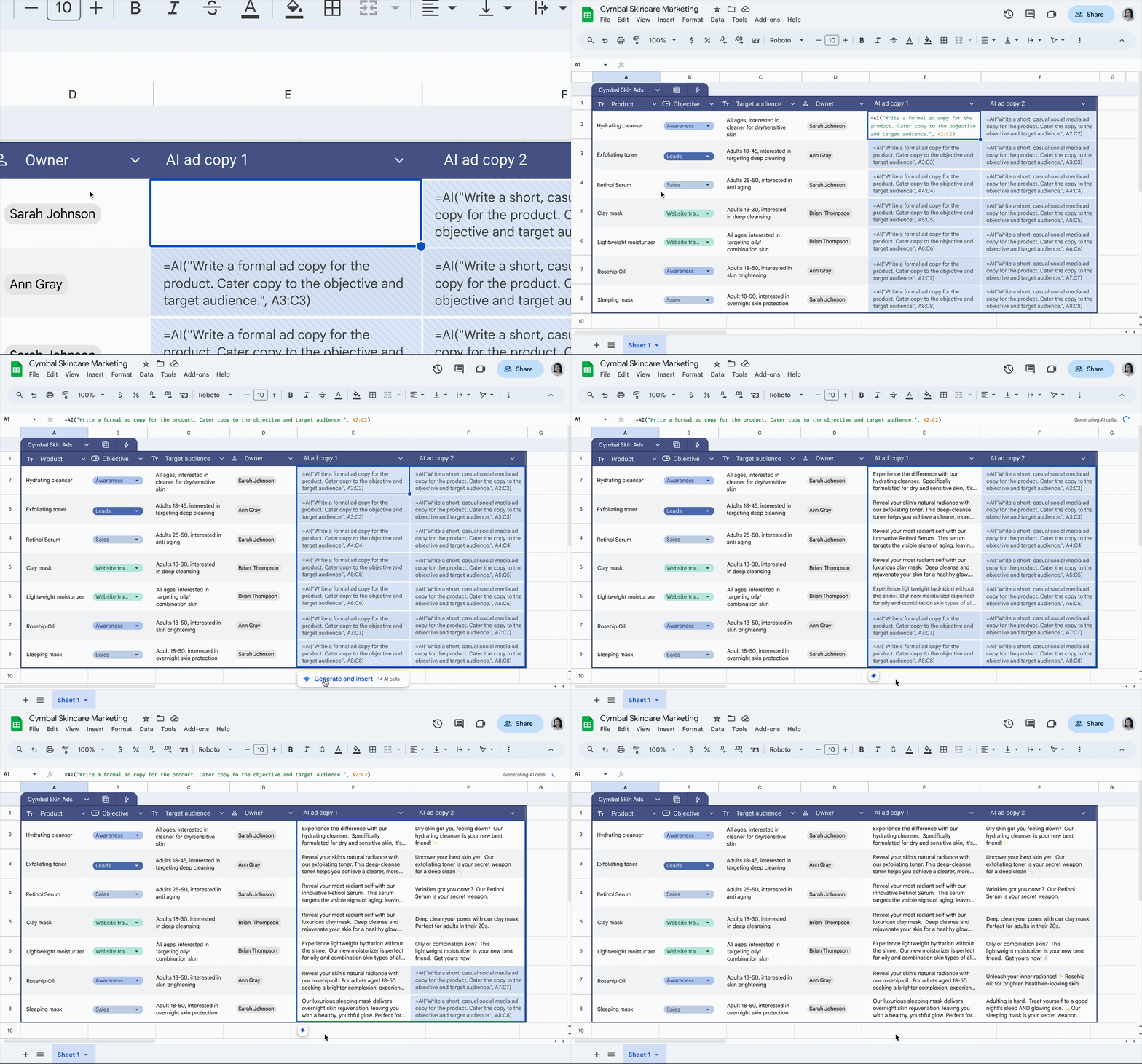
The AI function in sheets fills just like any other function, so you can quickly populate a column.
Gemini in Sheets handles more than just text. It can help you quickly create data visualizations and provides insights into trends and patterns in your data. Recently, the Google Workspace team expanded these capabilities to Spanish, Portuguese, Japanese, Korean, Italian, French, and German.
Discover new ways to get insights with video overviews in NotebookLM
NotebookLM has already changed how many people research and understand large amounts of information, thanks to its powerful written and audio summarization features. But sometimes, the visual story is just as important. That’s where the brand-new video overviews come in. Take your documents, slides, and diagrams and turn them into a narrated video, complete with images, charts, and quotes taken directly from your content. You can even specify what to focus on, who the video is for, and what you want to learn. It’s a whole new way to create shareable video overviews.

Use the studio panel in NotebookLM to generate overview videos.
The Google team has also redesigned the NotebookLM Studio panel, so you can now create and save multiple audio overviews in one notebook. This is perfect for creating versions in different languages or tailored content from your sources for different audiences. It’s also now easier to share them with others in your company by creating shareable links for each version.
Keep everyone in the loop with new AI-powered summaries in Chat and Meet
Gemini can do much more than just summarize text in your chats. It can summarize all types of related files, including many of the most popular formats, such as PDF, Office (.docx, .xlsx, .pptx), .csv, .txt, and .zip, uploaded to Drive. Just look for the ‘Summarize this file’ button to quickly view a summary from Gemini without leaving the conversation.
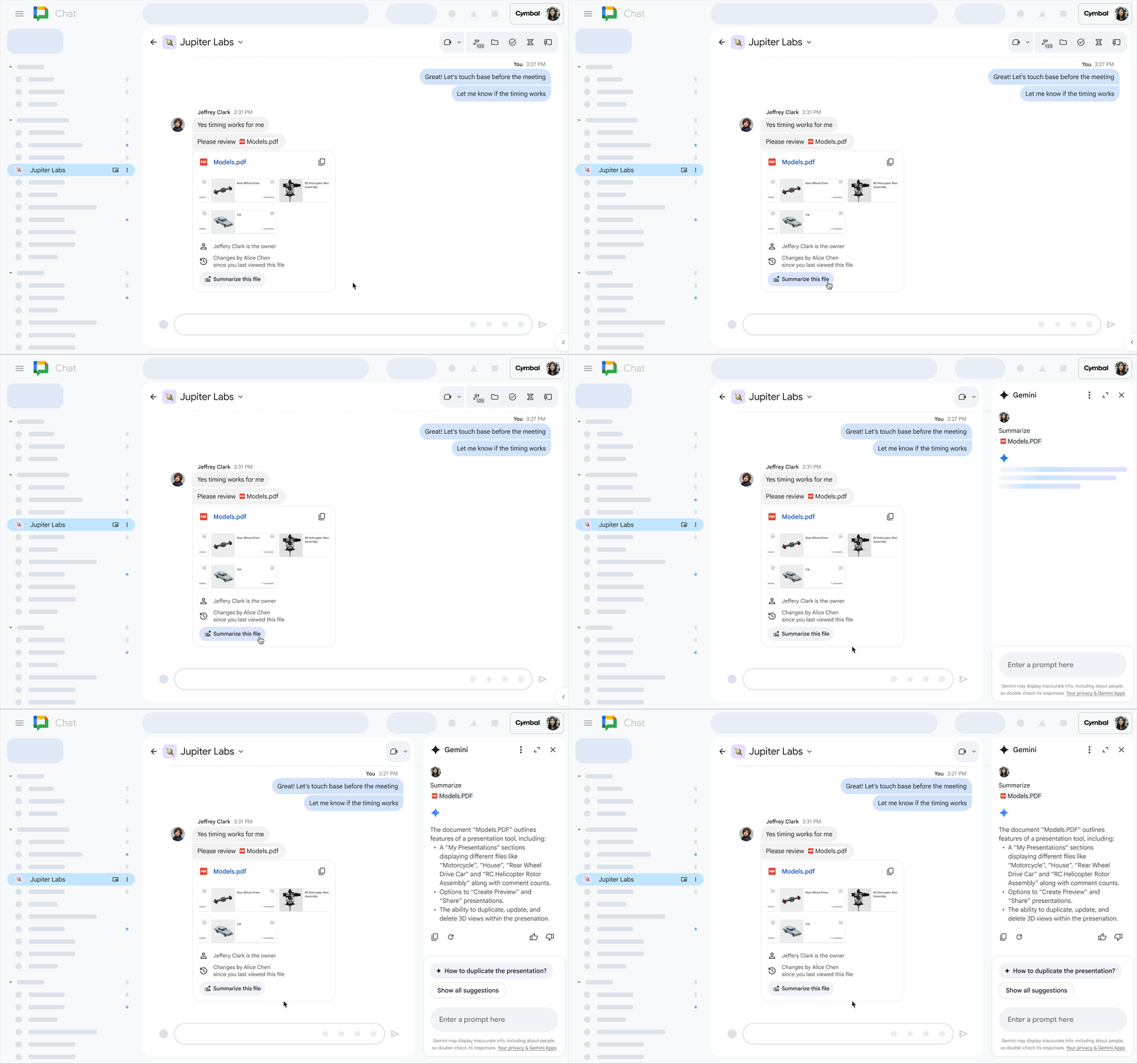
Gemini in Chat can provide summaries for various file types, such as PDFs.
The ‘Take notes for me with Gemini in Meet’ feature helps teams stay productive by automatically generating meeting summaries and suggested next steps, helping everyone focus on the discussion. Now, meeting organizers can choose which participants will automatically receive the notes and summaries after the call, ensuring that information is shared effectively with the right people.

Select which attendees will receive the Gemini-generated notes for your meeting.
Get insights faster with AI-powered summaries in Forms and Docs on mobile
If you use Forms to create quick surveys for your team or clients, Gemini can now help summarize the form responses . Using the form’s title, description, questions, and answers, Gemini will identify the main themes and conclusions from the response data, helping you gain insights from your surveys without having to manually review the data.

Summarize form responses with Gemini.
The Google Workspace team has also added AI summaries to the Docs app on mobile. Gemini in Docs on iOS and Android helps you get work done even on the go. This and many other Gemini features in Docs are now available on mobile in over 20 languages.
Create and enhance your content in seconds with new AI-powered image editing and audio balancing in Google Vids and Slides
Audio quality has a significant impact on viewer retention in videos, and the new audio balance feature in Google Vids helps you automatically adjust the sound levels for voiceovers, video clips, and background music in just a few clicks.
Google Workspace has also received new AI image editing features in Slides and Vids that help you adjust existing images for your presentations and videos. With Gemini, you can now replace the background of an image with a single prompt. You can also expand images so they better fit the space or provide more context, for example, by adding elements like a tent in a mountain landscape, a chair in a living room, or employees in an office.
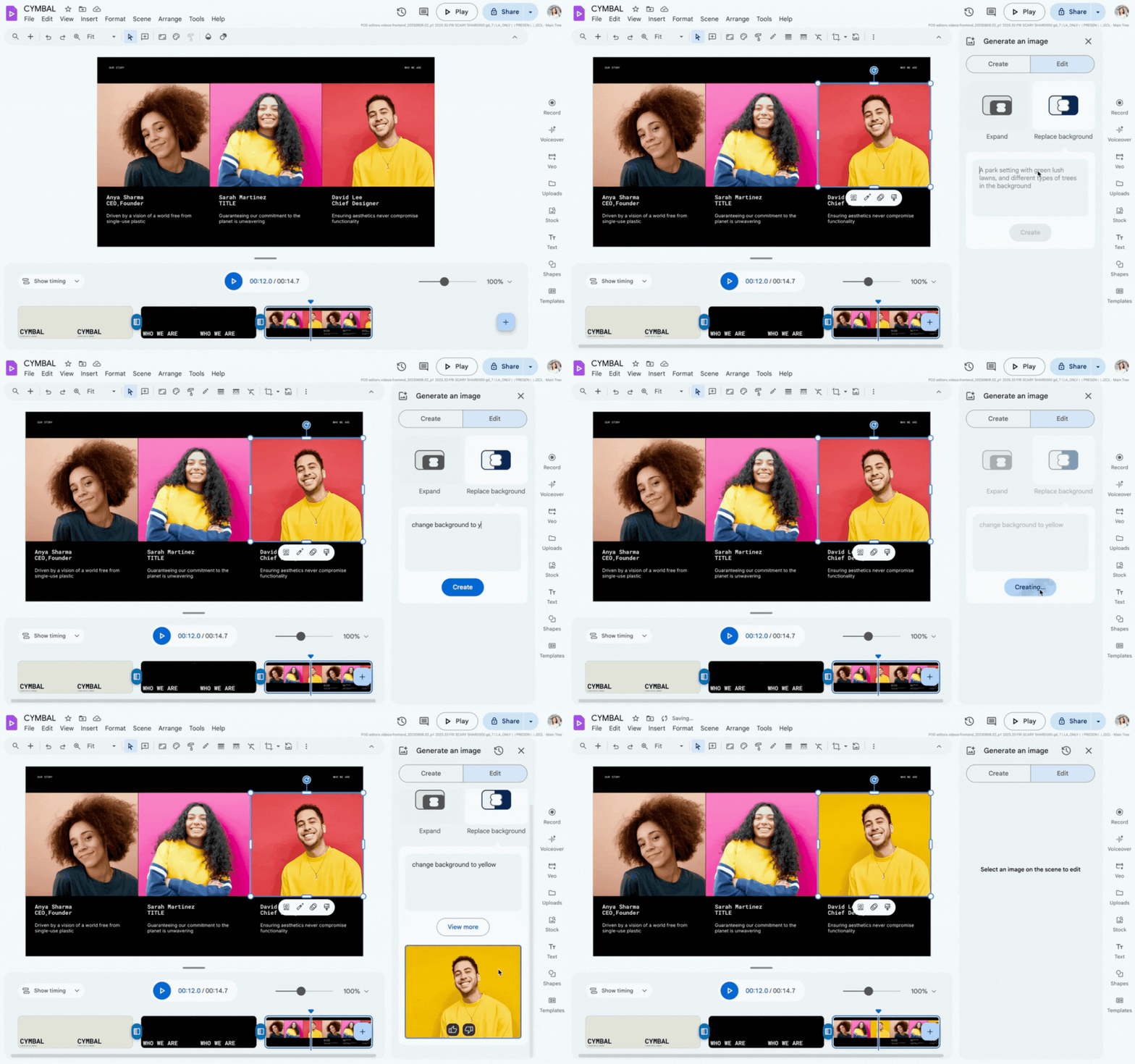
Replace a video’s background using a prompt.
Quickly fill out PDFs in Drive and analyze larger documents with Gemini in Drive
You can now directly fill out and save PDFs with digital form fields in Drive, helping you get more done without needing to switch between tabs.
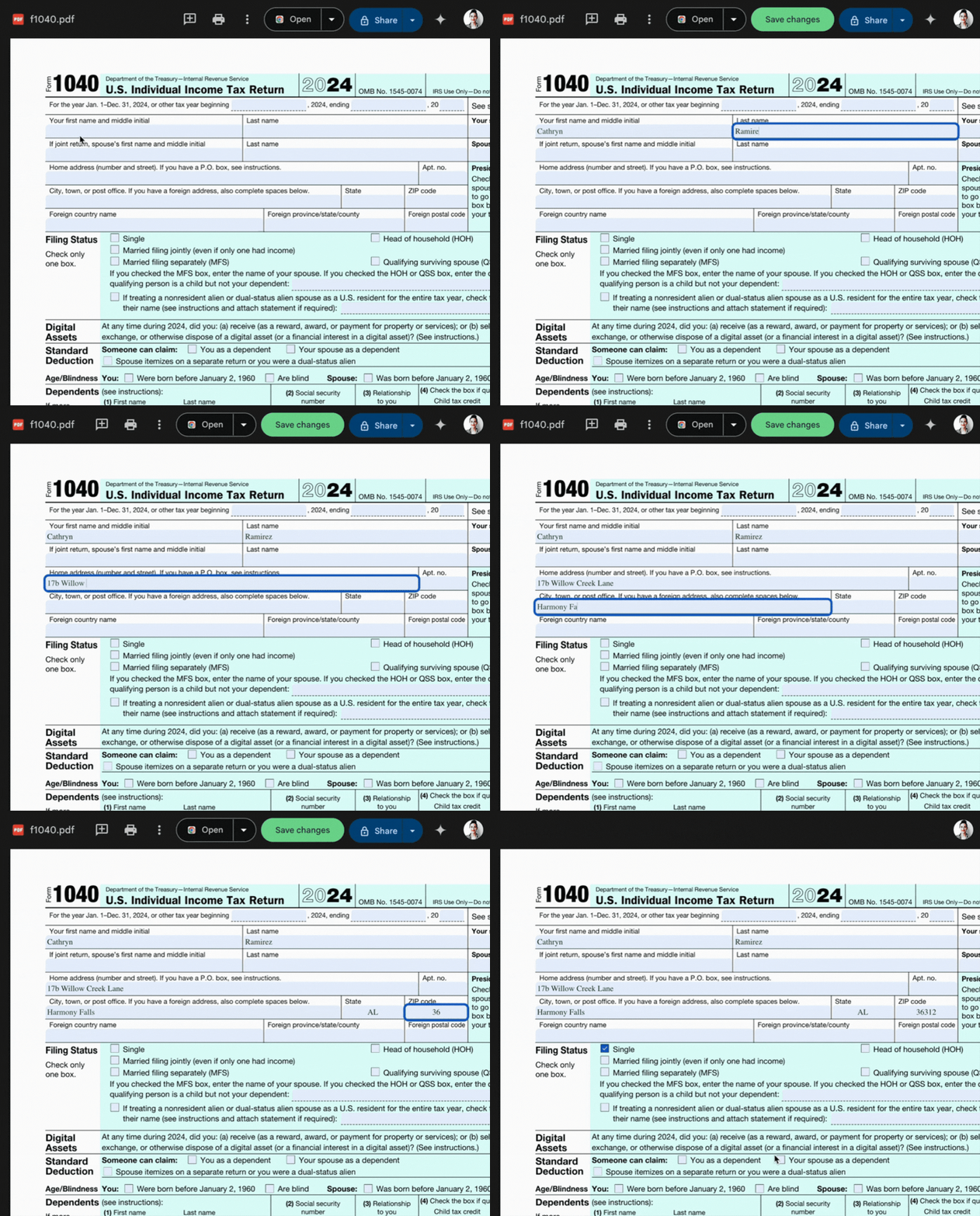
Fill in digital form fields in PDFs uploaded to Drive.
Gemini in Drive now also has a context window (up to 1 million tokens) for use with large PDFs, so you can get help with long and detailed documents directly in Drive.
Get started today
All these updates are now available for Google Workspace customers. Give your team leading productivity tools — request a free implementation consultation from an official Google Workspace partner: