

Doubling the calculation speed and other updates in Google Sheets

The Google Workspace team is making it easier and faster to format, calculate, and manage data in Google Sheets for both beginners and experts. This article highlights the latest advancements in Sheets designed to help you be more productive with daily tasks and large projects.
Doubling Calculation Speed in Sheets
Building on improvements like smooth scrolling and increased row limits in Sheets, Google has optimized calculation speeds for large spreadsheets. This optimization is already available in Google Chrome and Edge, with other browsers set to receive the update soon. The enhanced calculation speed is made possible by WasmGC, a new web technology that enables faster code execution. You can learn more about how Google’s engineers achieved this optimization [here]. In addition to calculation speed, Google is working on new ways to reduce initial loading times and improve the performance of copy/paste operations and filtering.
New Ways to Get Started Quickly in Google Sheets Gemini
Organizing data in Sheets has also been made easier. Often, simply starting to create a spreadsheet can be a daunting task—regardless of your level of experience with data. To give users a head start, Google has announced a new Gemini for Workspace sidebar feature, which allows users to interact with Gemini to summarize, analyze, and generate content. In Google Sheets Gemini, the sidebar will leverage insights from your emails, documents, and more to create contextually relevant spreadsheets and provide an automatic summary of the sheet you’re working on.
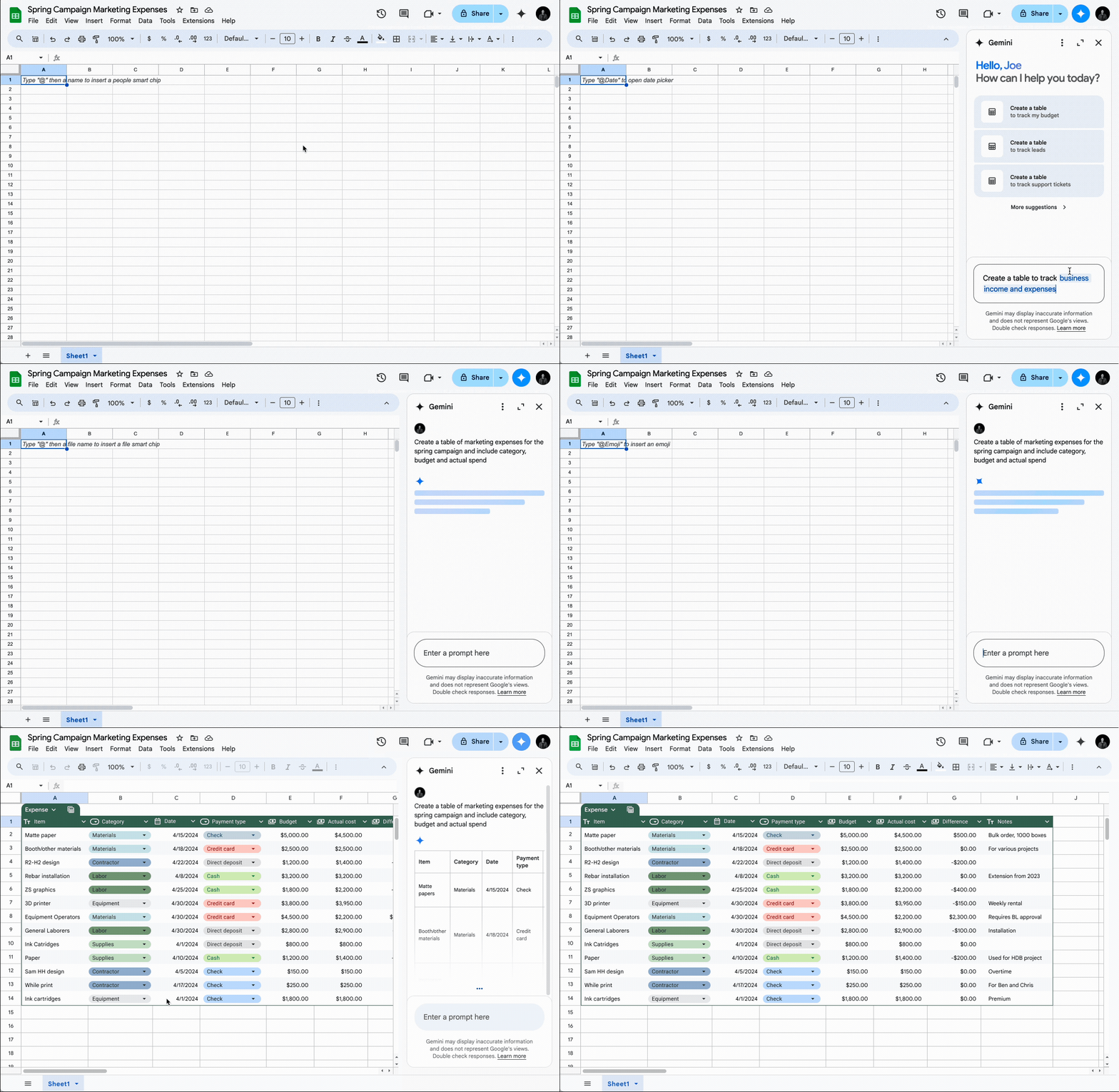
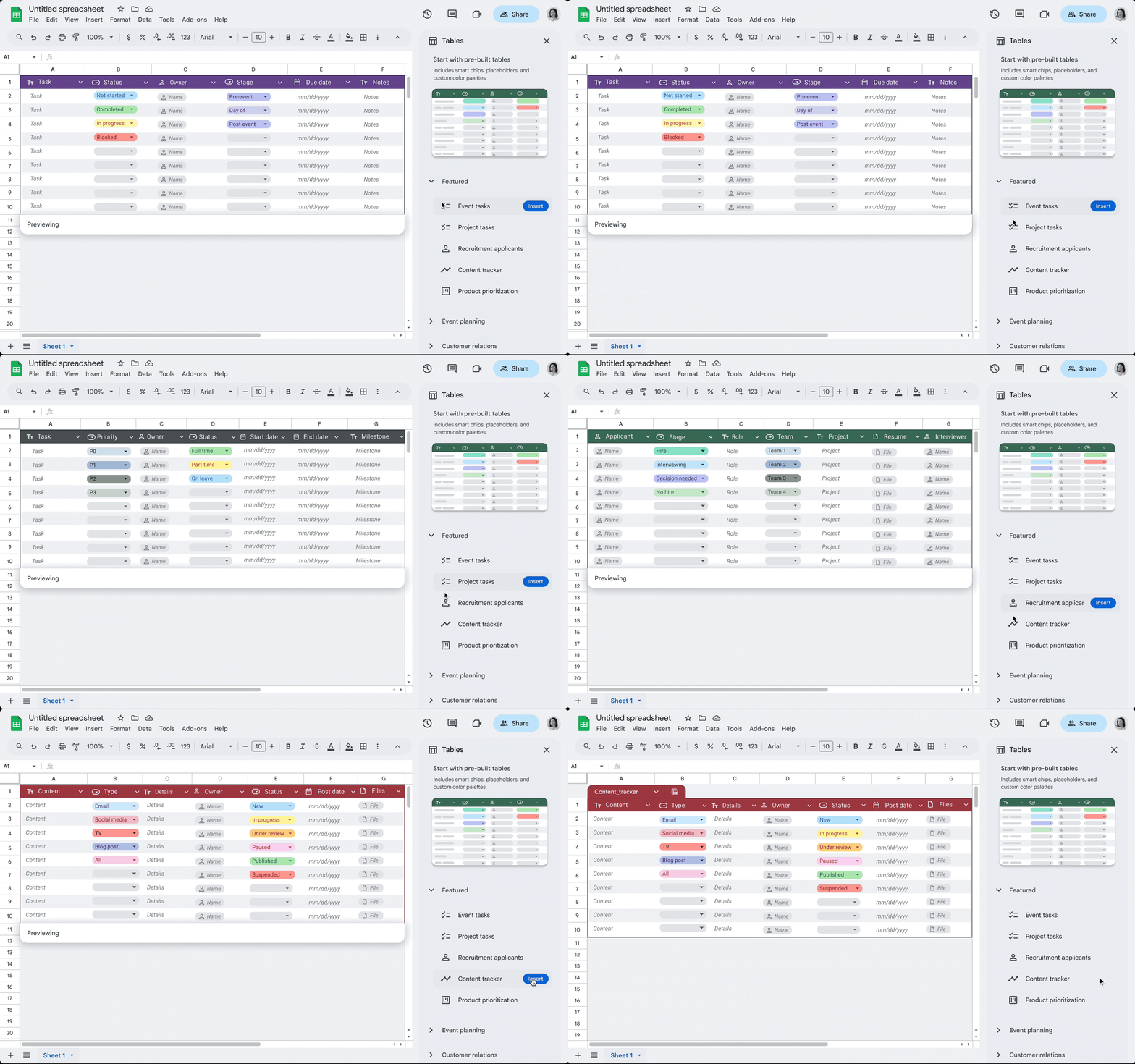
Additionally, pre-designed table templates have recently been introduced, ensuring you always have a starting point for organizing data. Whether you’re managing projects, planning events, tracking inventory, or tackling other tasks, you’ll never have to create a spreadsheet from scratch again.
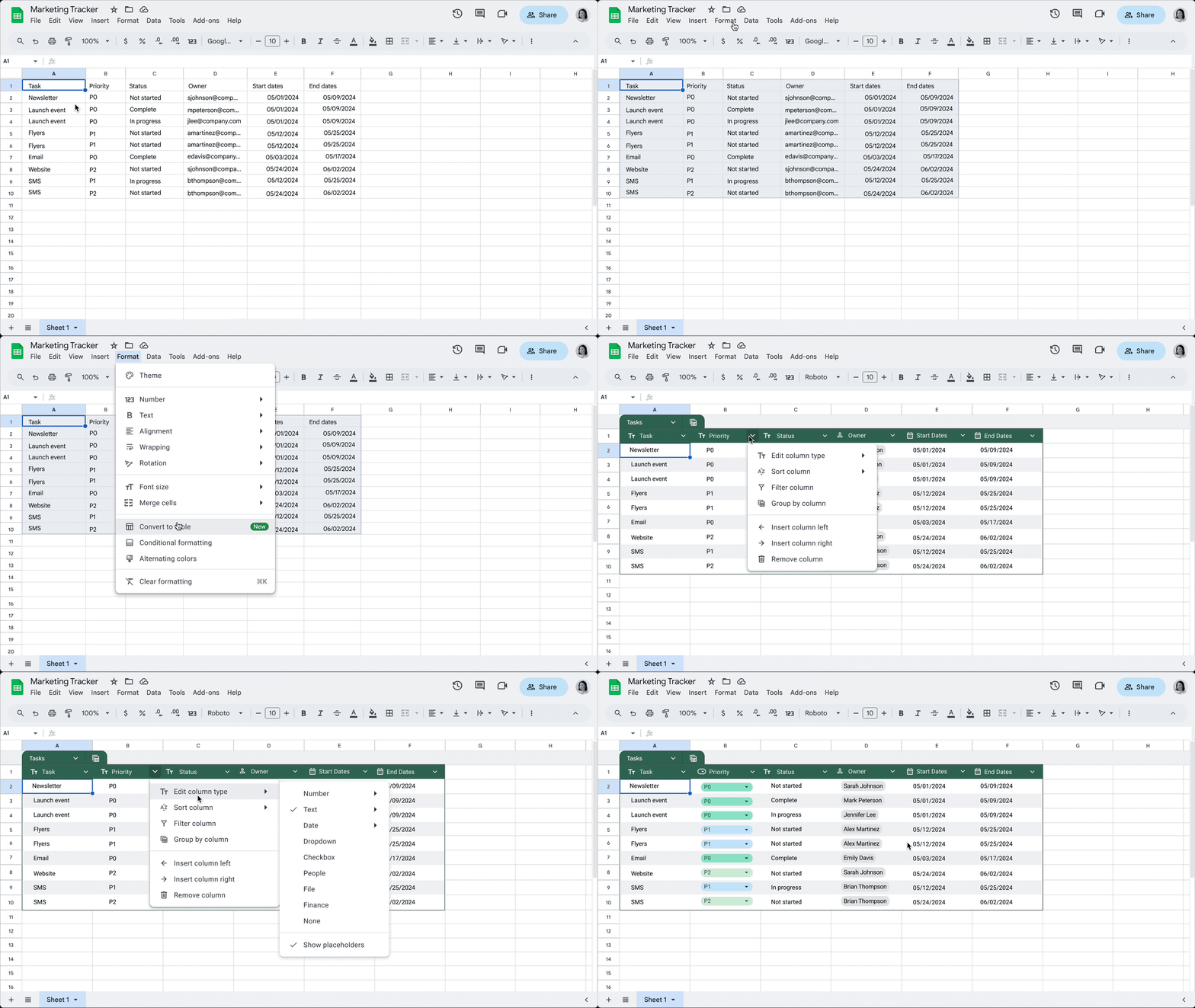
Faster ways to format and manage data in Sheets.
Thanks to a new feature, it’s now easier to structure and refine data in Sheets. Let Google Sheets handle the heavy lifting of formatting and organizing your data—tables will apply an enhanced design that includes column types, filters, color coding, drop-down menus, and more. Google Sheets can automatically align all entered data, reducing the need for manual adjustments. Additionally, tables will ensure that all input data is correctly formatted according to the selected column type.
Enhancing Project Management with Custom Google Sheets notifications
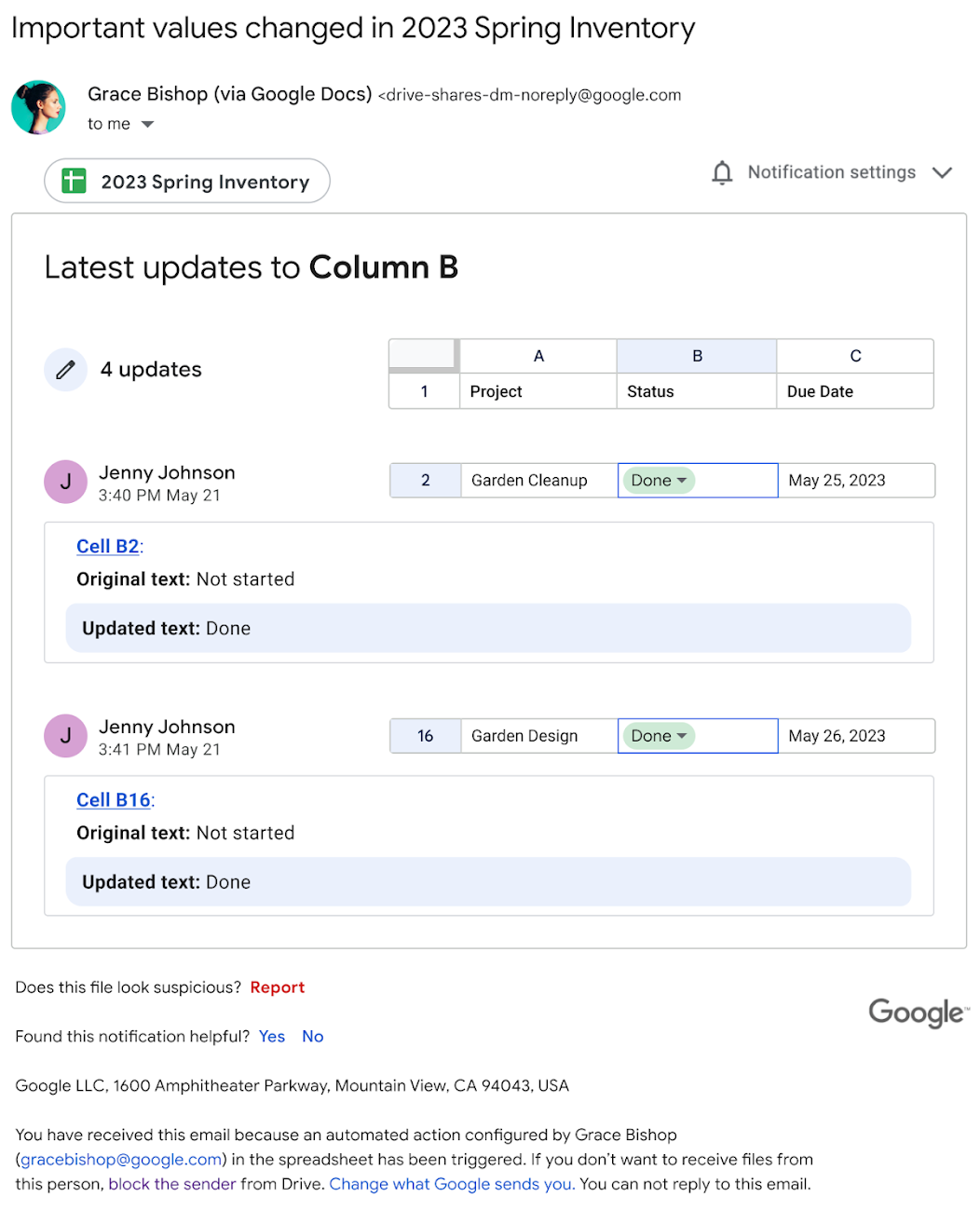
Entire teams can seamlessly collaborate on a single spreadsheet in Google Sheets. Companies frequently rely on Sheets to track complex projects, budgets, schedules, and more. However, staying on top of numerous changes can be challenging, especially during active collaboration. That’s why Google has introduced conditional notifications, allowing users to set up rules in spreadsheets that trigger email alerts when specific criteria are met. For instance, a notification can be sent when the value in a particular column, such as the “Status” column, changes. Google Sheets notifications are just the beginning of automation in Sheets.
Driving Change
From optimizing campaign planning to enabling real-time collaboration, the power and scalability of Sheets allow teams to be more productive in any environment. With the integration of artificial intelligence, Google Sheets goes beyond basic spreadsheet functions, transforming into a robust project management tool that supports strategic decision-making.
Organizations across a wide range of industries rely on Sheets to advance their business or mission. The Google Workspace team continues to evolve its solutions to keep pace with and anticipate the needs of organizations worldwide.